I originally published this article on the Microsoft Tech Community.
Microsoft Security Copilot is now more visible inside day-to-day security operations, especially through embedded experiences and agent-based workflows across Microsoft Defender XDR, Microsoft Entra ID, Microsoft Intune, and Microsoft Purview.
Instead of looking at Security Copilot only as a standalone prompt interface, SOC and identity teams should understand how Security Copilot agents are deployed, how they consume Security Compute Units, how they appear in operational workflows, and where activity can be monitored. This post summarizes practical observations from a security operations perspective, focusing on Defender XDR, Entra ID, usage monitoring, and KQL-based activity review.
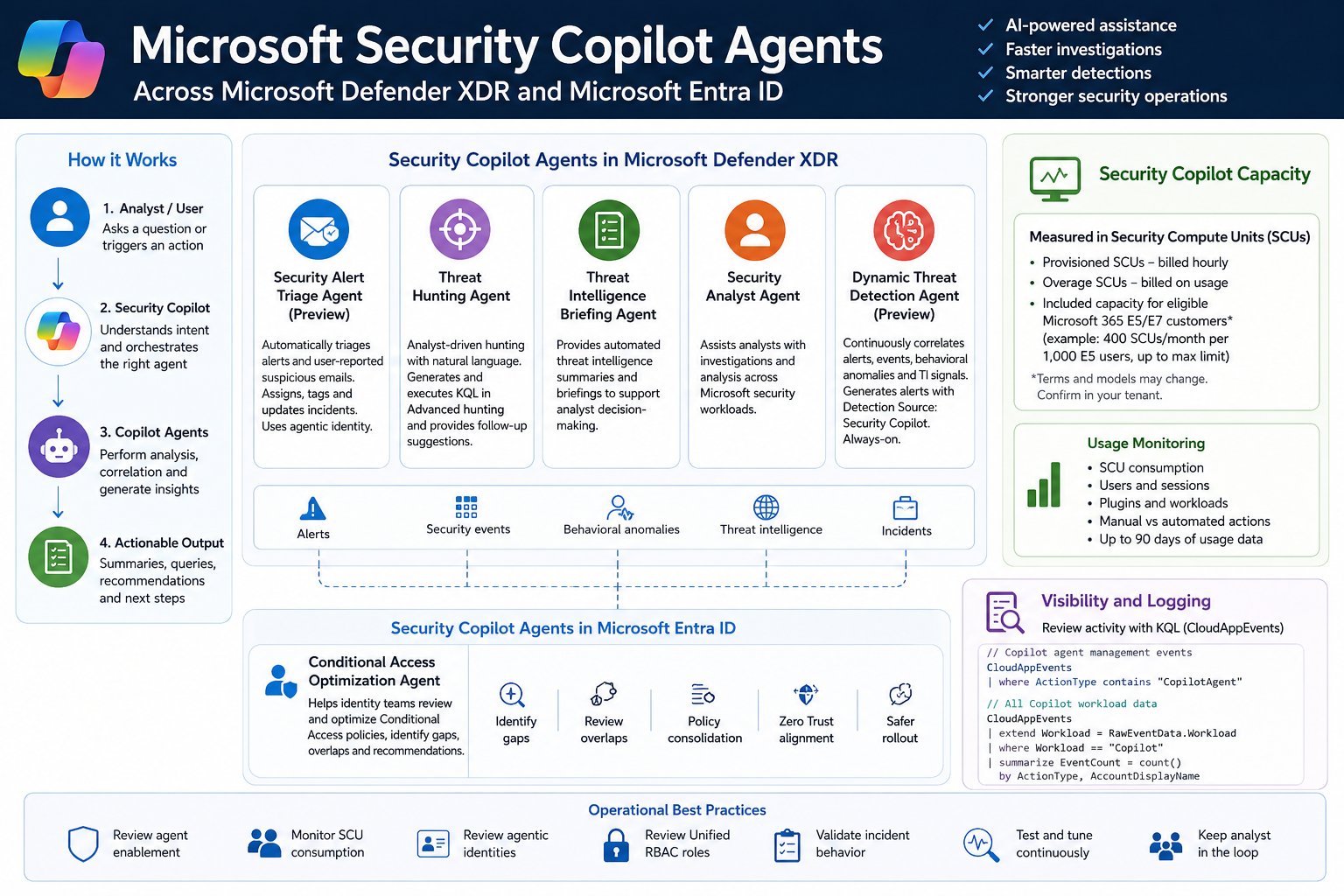
Licensing & capacity units
Requirements: eligible Microsoft security licensing (typically Microsoft 365 E5).
Security Compute Units (SCUs):
- Security Copilot capacity is measured in Security Compute Units (SCUs).
- SCUs are billed based on provisioned capacity, calculated hourly.
- Indicative pricing: $4 per provisioned SCU/hour and $6 per overage SCU/hour.
Included capacity: organizations with 1,000 Microsoft 365 E5 licenses receive 400 included SCUs, shared across the tenant in a common capacity pool.
Scaling: SCU capacity can be scaled dynamically based on operational requirements and workload demand.
Data retention: Security Copilot session and interaction data without active SCU-backed retention is typically retained for 90 days.
Security Copilot agents — Microsoft Defender
Security Alert Triage Agent (Preview)
- Manual setup from the Defender portal.
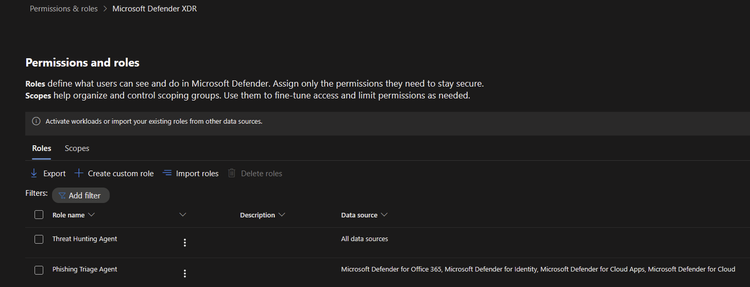
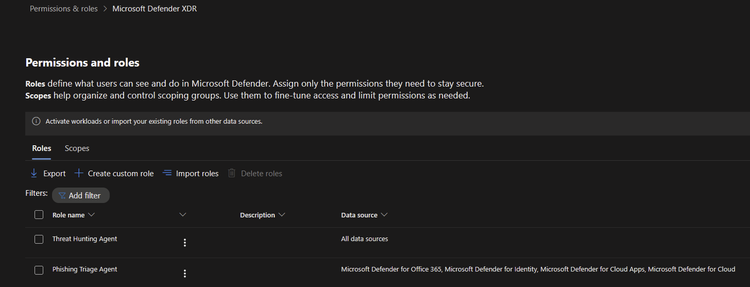
- Automatically creates a Unified RBAC custom role.
- Runs automatically when a user reports a suspicious email or when a new supported alert is generated (supported sources: MDI, MDC, MDO).
- If an alert tuning rule is enabled, it’s automatically disabled when the agent is deployed.
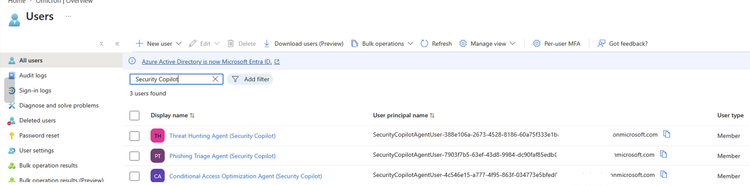
- Creates and connects with an agentic user account: Phishing Triage Agent (Security Copilot).
- Automatic alert assignment to
SecurityCopilotAgentUser-db16fec3-f1fb-4632-843e-46d07408c584@<tenant-domain>(“Alert was assigned to Phishing Triage Agent (Security Copilot)”). - Adds a Tag: Agent to the incidents it creates.
Threat Hunting Agent
- Manual setup from the Defender portal.
- Automatically creates a Unified RBAC custom role.
- Runs manually — there’s no automatic trigger.
- Creates and connects with an agentic user account: Threat Hunting Agent (Security Copilot).
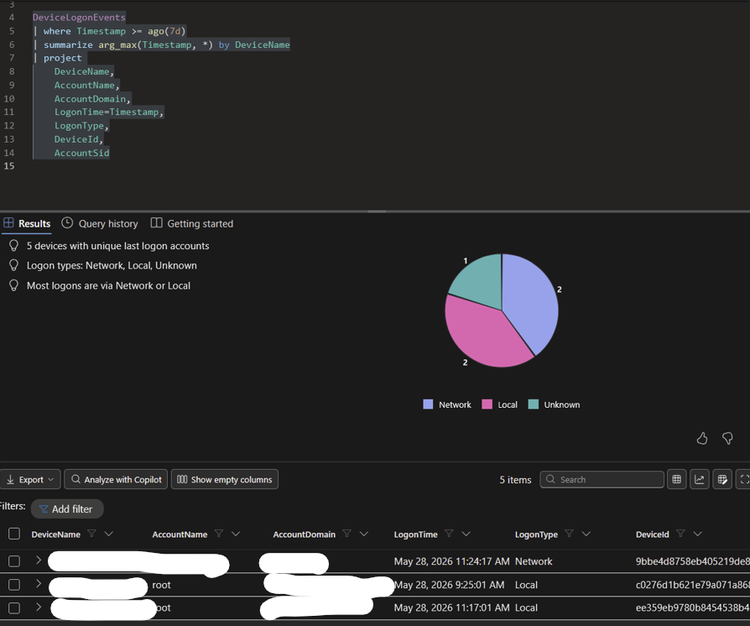
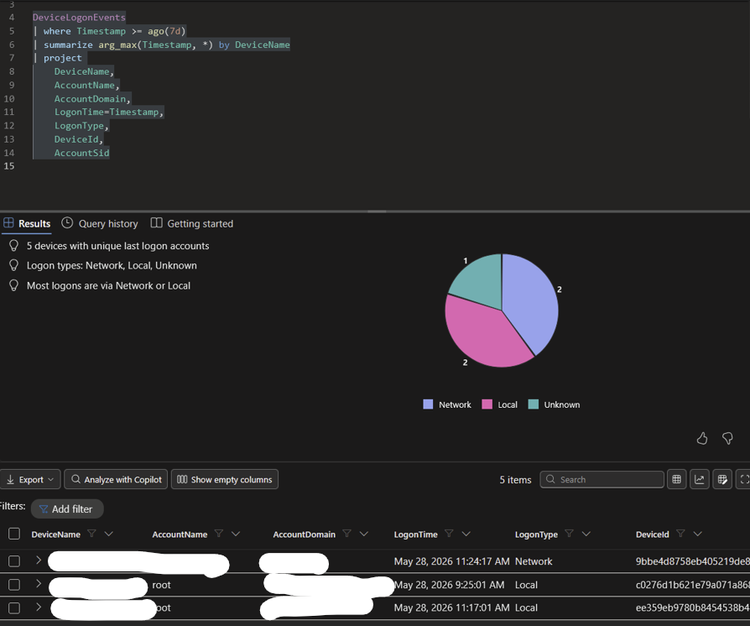
- Takes analyst questions in natural language, generates and executes KQL in Advanced Hunting, and provides charts, dynamic follow-up questions, and remediation recommendations.
- No activity is identified from the agent’s identity during agent execution.
Threat Intelligence Briefing Agent
- Manual setup from the Defender portal.
- Provides an automated TI briefing summary.
- Configured from the Defender agent-configuration settings for the Threat Intelligence Briefing Agent.
Security Analyst Agent
- Manual setup from the Defender portal.
Dynamic Threat Detection Agent (Preview)
- Automatically enabled; always-on, runs continuously in the background.
- Correlates alerts, security events, behavioral anomalies, and TI signals.
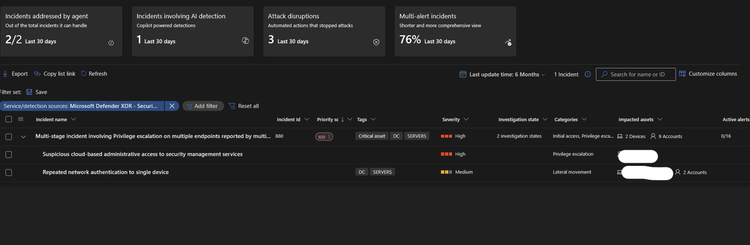
- Generates alerts with Detection Source: Security Copilot, which can correlate with existing multi-stage incidents.
- No agentic user account identity is used by this agent.
- Free during public preview; will begin consuming SCUs once generally available.
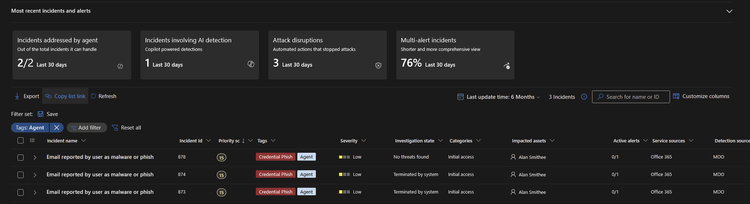
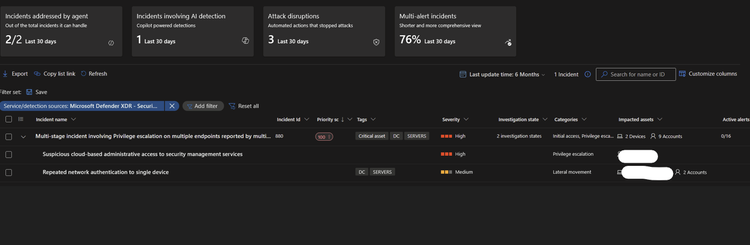
Incidents handled by the Security Alert Triage Agent:
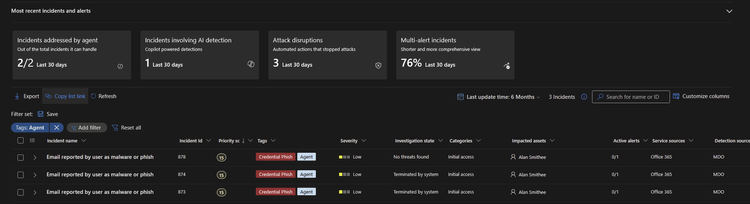
Alerts created by the Dynamic Threat Detection Agent:
Execution of the Threat Hunting Agent:
View agents in use (security.microsoft.com/security-copilot/agents):


View Unified RBAC custom roles (security.microsoft.com/mtp_roles):
View Security Copilot user identities in Microsoft Entra ID:
Note: CloudAppEvents activity logs are produced only from the following agents:
- Phishing Triage Agent
- Conditional Access Optimization Agent
Security Copilot agents — Microsoft Entra ID
- Conditional Access Optimization Agent
Usage monitoring
Sign in to the Security Copilot portal with a Global Admin account and navigate to securitycopilot.microsoft.com/usage-monitoring. Reference: Microsoft Learn — Manage Security Copilot usage.
Logging activity
Copilot agents management:
CloudAppEvents
| where ActionType contains "CopilotAgent"
| extend AgentName = RawEventData.AgentName
| extend Workload = RawEventData.Workload
| extend ResultStatus = RawEventData.ResultStatus
| project TimeGenerated, ActionType, ResultStatus, AgentName, Application, Workload
All Copilot workload data:
CloudAppEvents
| extend Workload = RawEventData.Workload
| where Workload == "Copilot"
| summarize EventCount = count() by ActionType, AccountDisplayName